TablePostgre
Industrial-Grade Data Tables
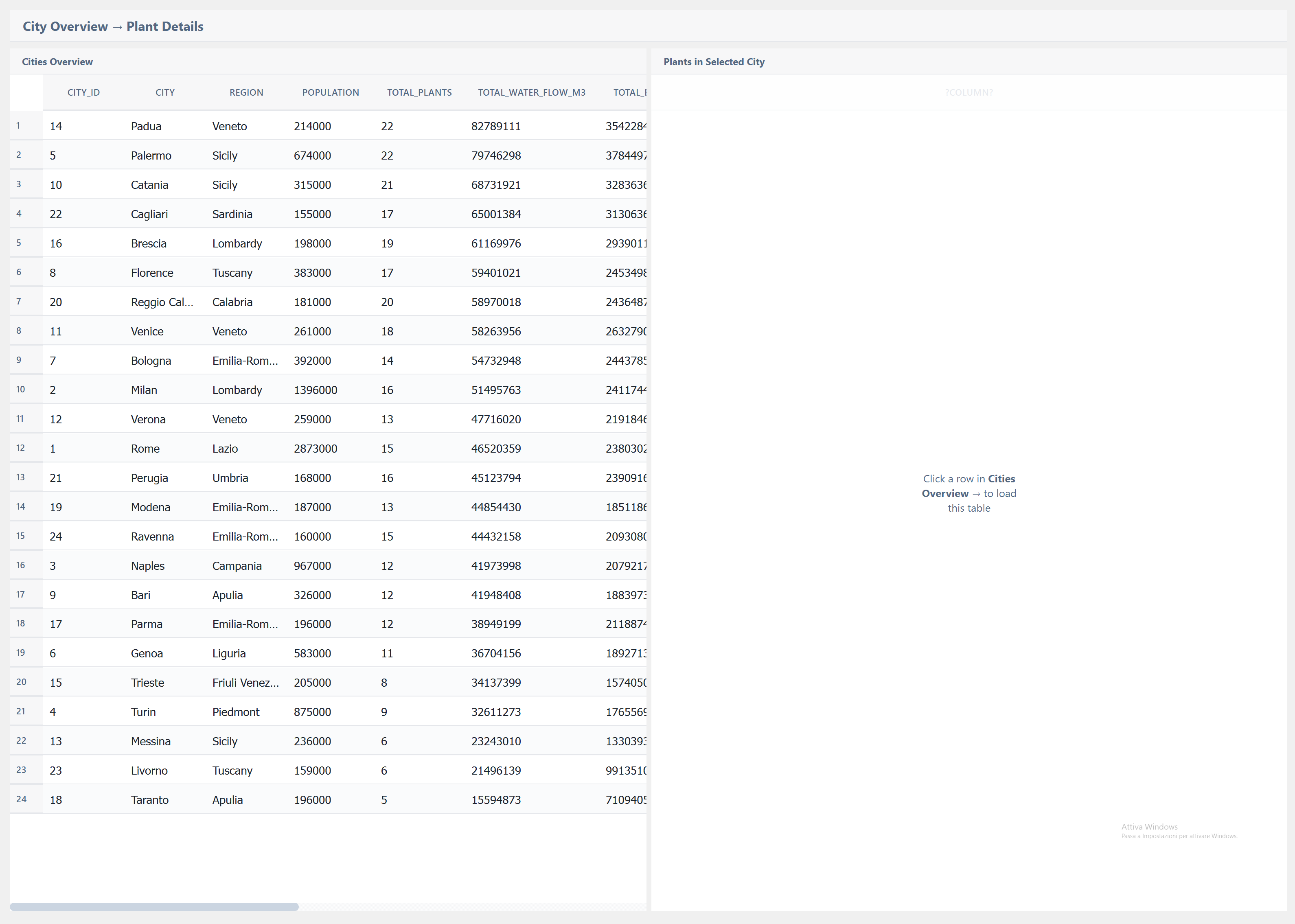
The TablePostgre is one of the most complex widgets in the library — a full-featured data table with direct PostgreSQL connectivity, virtual scrolling, multi-column sorting, aggregation functions, advanced filtering, and real-time refresh — all in a single C++ EWO component.
Key Features
Master-Detail Pattern
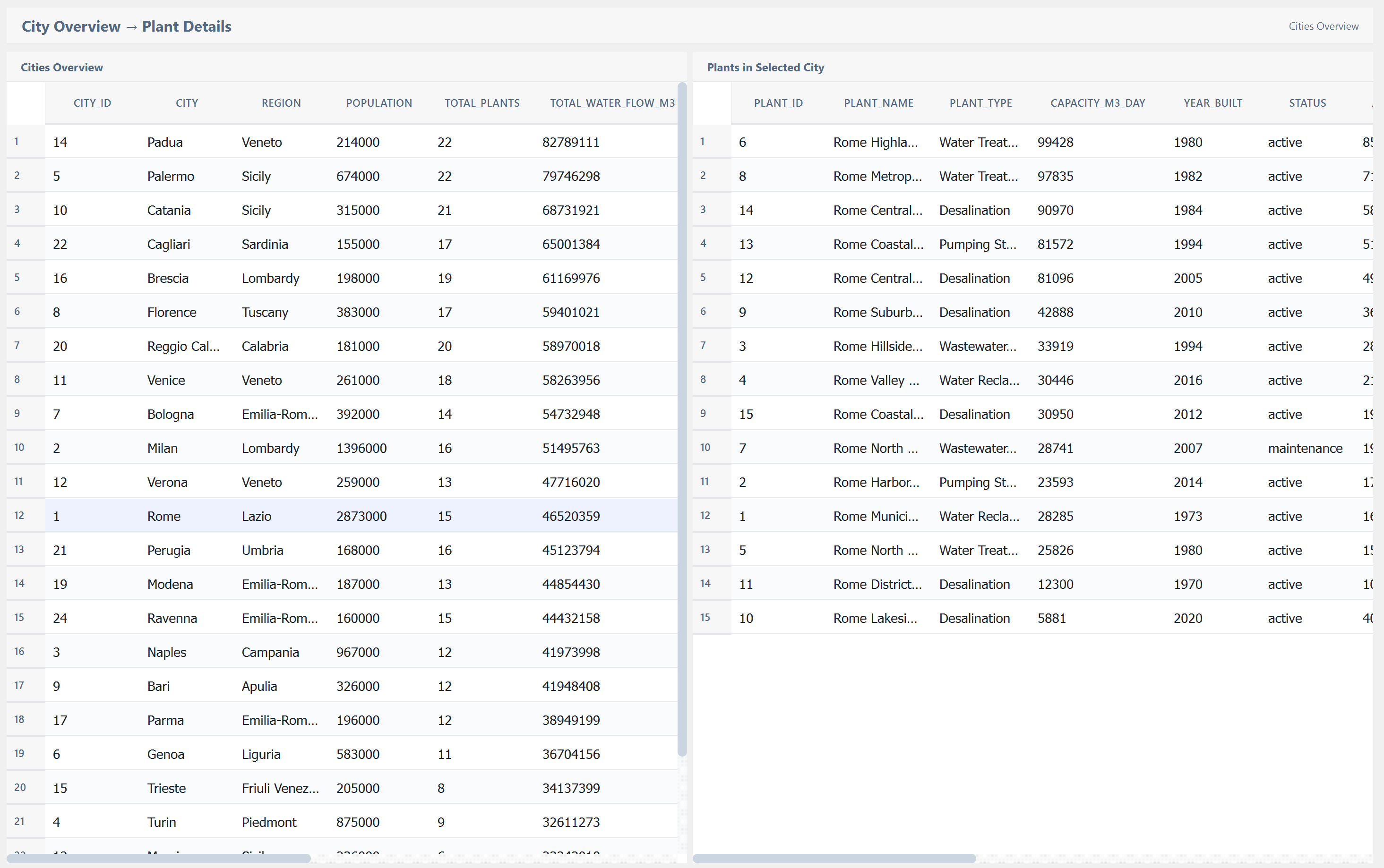
Click a row and a secondary table loads the related data. We designed this interaction to feel natural — no popups, no page changes, just fluid context switching:
Column Customization
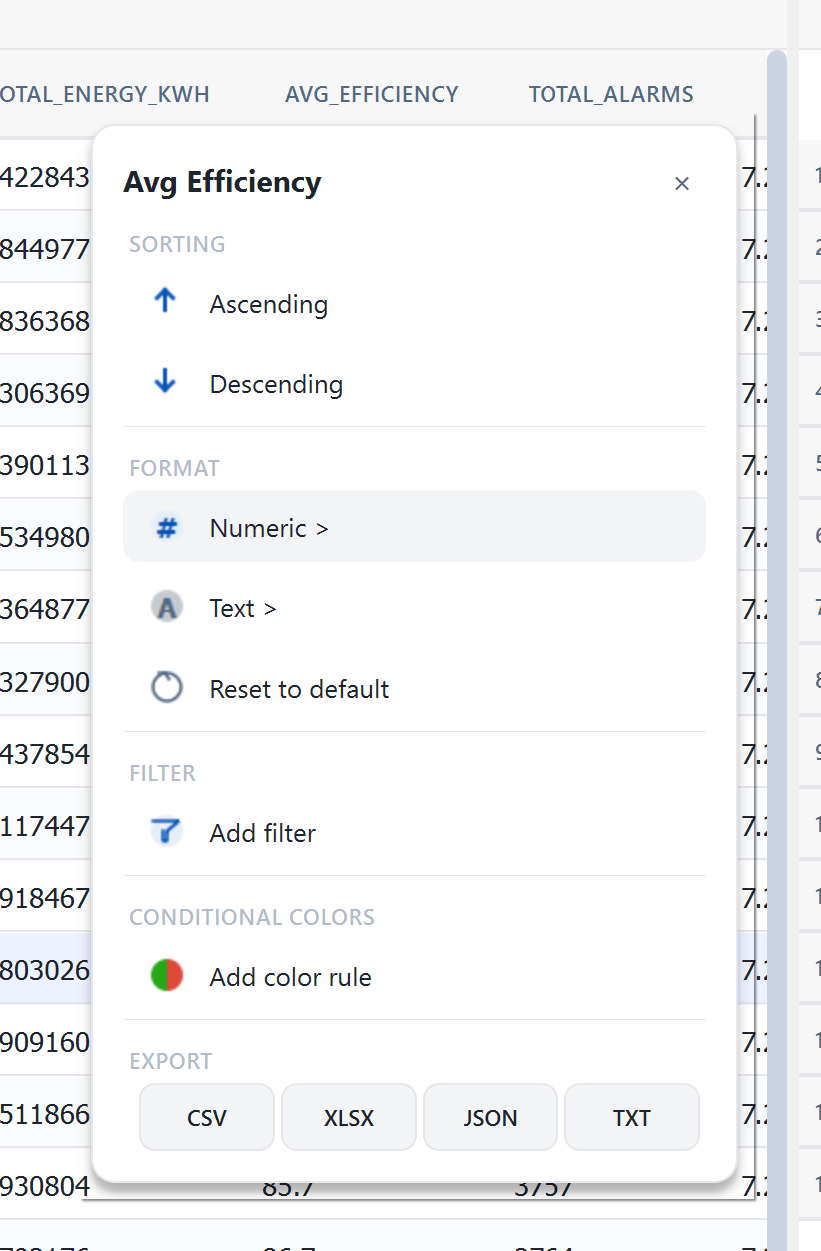
Every column is individually configurable at runtime — sorting, formatting, filtering, conditional colors, and export:
Conditional Progress Bars
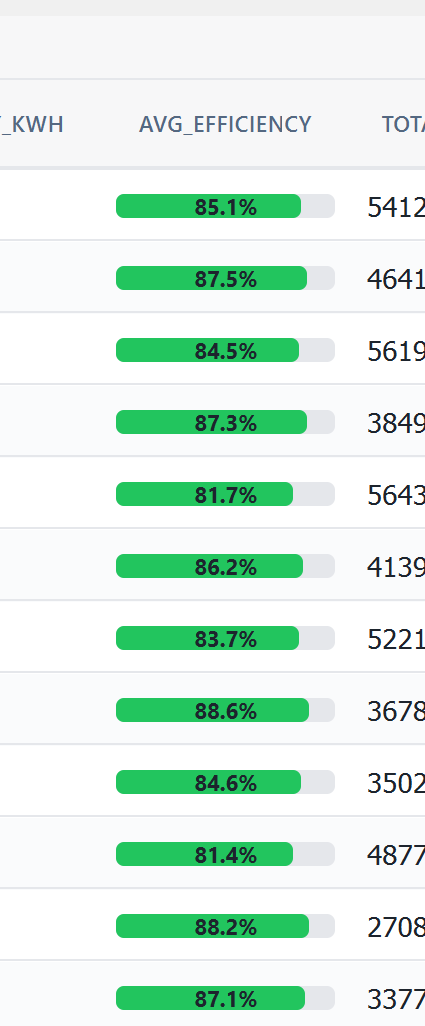
Visual cell renderers transform raw numbers into intuitive graphics:
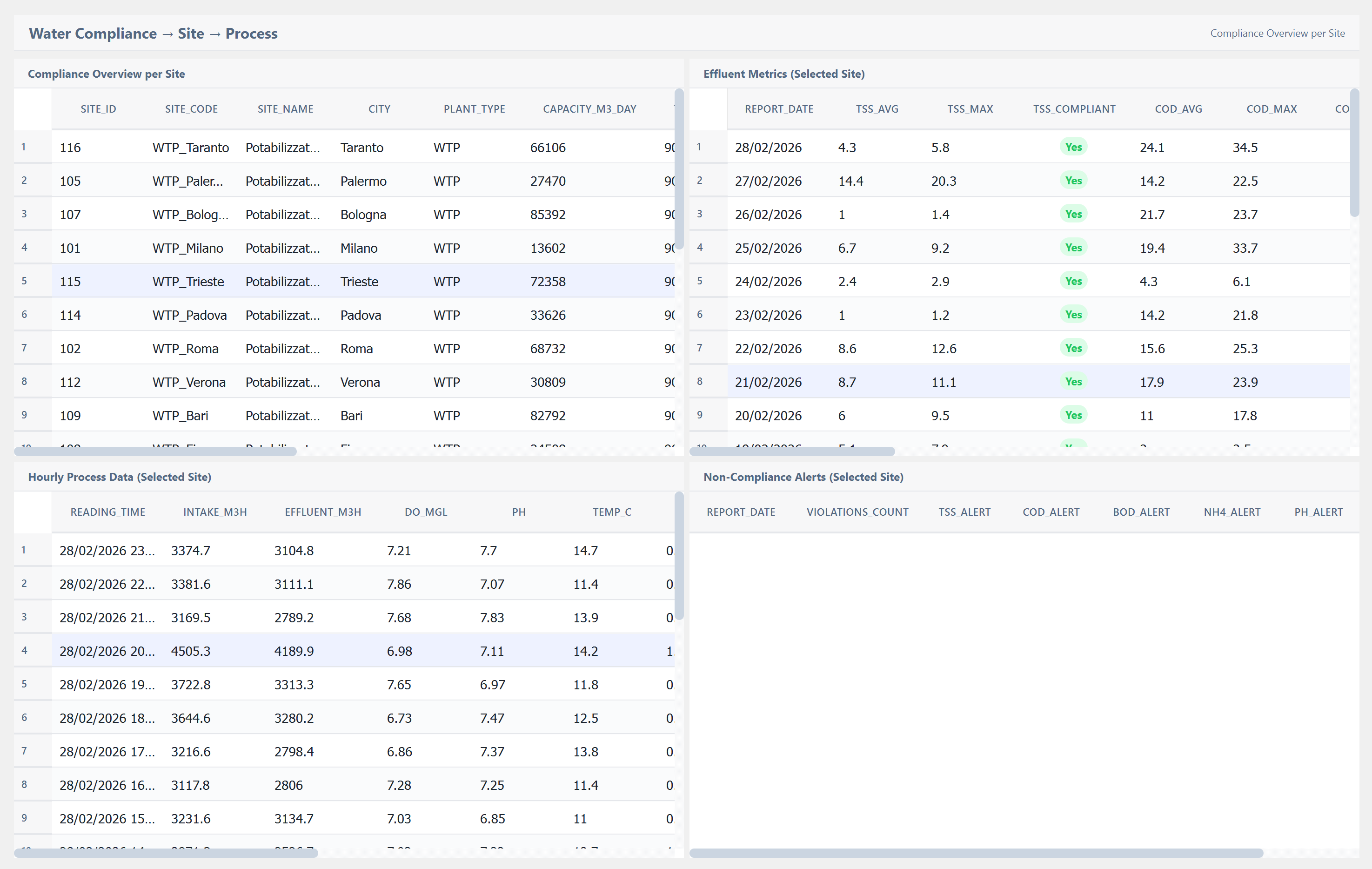
Multi-View Dashboards
Multiple table instances can be synchronized in a single dashboard:
Main Properties
| Property | Type | Description |
|---|---|---|
columnsJson |
QString |
JSON column definitions with types, widths, alignment |
dataJson |
QString |
JSON data rows |
sortColumn |
int |
Active sort column index |
sortAscending |
bool |
Sort direction |
filterJson |
QString |
Active filter rules in JSON |
rowHeight |
int |
Height per data row |
headerHeight |
int |
Height of the header row |
alternateRowColors |
bool |
Zebra-stripe row backgrounds |
showCheckboxColumn |
bool |
Enable row selection checkboxes |
virtualScrollEnabled |
bool |
Render only visible rows for performance |
aggregationEnabled |
bool |
Show summary row with SUM/AVG/COUNT/MIN/MAX |
Color_Background |
QVariant |
Table background color |
Color_Header |
QVariant |
Header background color |
Color_Selection |
QVariant |
Selected row highlight color |
Color_Hover |
QVariant |
Hovered row highlight color |
Note: This widget exposes 110+ configurable properties. The table above covers only a selection — dozens more are available for fine-tuned control over colors, fonts, padding, cell renderers, pagination, and behavior.
Usage Example in WinCC OA
XML Configuration (extended properties)
<extended>
  <prop name="Color_Background" type="COLOR">{255,255,255}</prop>
  <prop name="Color_Header" type="COLOR">{240,242,245}</prop>
  <prop name="Color_Selection" type="COLOR">{230,238,248}</prop>
  <prop name="rowHeight" type="INT">36</prop>
  <prop name="headerHeight" type="INT">40</prop>
  <prop name="alternateRowColors" type="BOOL">True</prop>
  <prop name="virtualScrollEnabled" type="BOOL">True</prop>
  <script name="cellClicked">cellClicked(int row, int col)</script>
  <script name="cellDoubleClicked">cellDoubleClicked(int row, int col)</script>
  <script name="sortChanged">sortChanged(int col, bool ascending)</script>
  <script name="selectionChanged">selectionChanged(string ids)</script>
</extended>
CTRL Initialization Script
main()
{
  string json;
  // Define columns
  json = "[{\"id\":\"name\",\"title\":\"Plant Name\",\"width\":200},"
         "{\"id\":\"status\",\"title\":\"Status\",\"width\":100},"
         "{\"id\":\"efficiency\",\"title\":\"Efficiency\",\"width\":120,\"renderer\":\"progressBar\"}]";
  EWO.setColumnsFromJson(json);

  // Load data from PostgreSQL
  EWO.setConnectionString("host=localhost dbname=scada user=reader");
  EWO.setQuery("SELECT name, status, efficiency FROM plants ORDER BY name");
  EWO.refresh();
}
Available Signals
| Signal | Parameters | Description |
|---|---|---|
cellClicked |
row, col |
Single-click on a cell |
cellDoubleClicked |
row, col |
Double-click on a cell |
cellRightClicked |
row, col |
Right-click context menu |
headerClicked |
col |
Click on column header |
sortChanged |
col, ascending |
Sort order changed |
filterChanged |
json |
Filter rules updated |
selectionChanged |
ids |
Row selection changed |
dataLoaded |
count |
Data refresh completed |
refreshRequested |
— | Manual refresh triggered |
customActionTriggered |
id |
Custom action button clicked |