IconPicker
Grid-Based Icon Browser
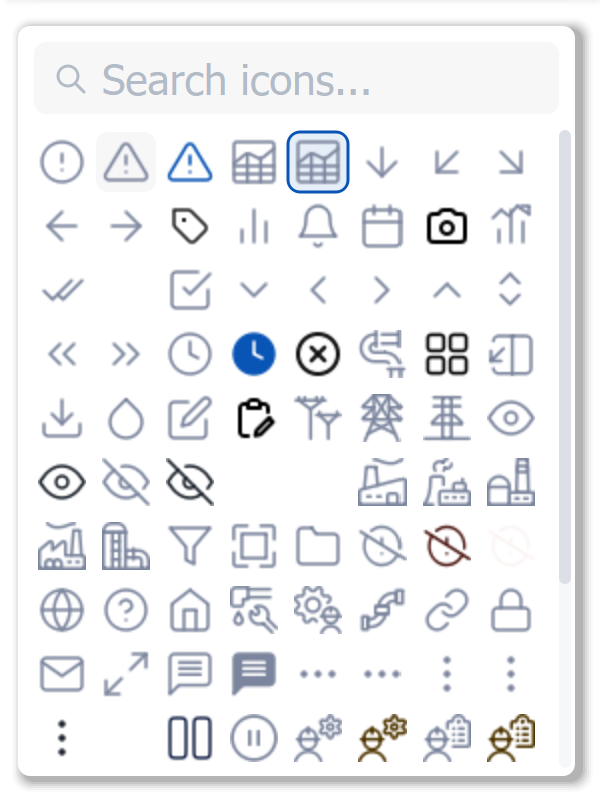
The IconPicker is a grid-based icon browser with real-time search, SVG color override (dynamically recolors icons via XML manipulation), lazy loading with caching, and a custom scrollbar.
Key Features
SVG Color Override
Dynamically recolors SVG icons by manipulating the XML fill and stroke attributes at load time. A single icon set serves any color theme.
Real-Time Search
Type to filter icons by filename — the grid updates instantly as the user types.
Lazy Loading with Cache
Icons are loaded on demand as they scroll into view, with an in-memory cache to prevent redundant disk reads.
Main Properties
| Property | Type | Description |
|---|---|---|
IconPaths |
QStringList |
List of icon directory paths to scan |
SelectedIcon |
QString |
Currently selected icon path |
IconSize |
int |
Display size for each icon |
Columns |
int |
Number of grid columns |
MaxVisibleRows |
int |
Maximum visible rows before scrolling |
SearchEnabled |
bool |
Show search input field |
OverrideSVGColor |
bool |
Enable dynamic SVG recoloring |
ShadowEnabled |
bool |
Drop shadow on widget |
ShadowColor |
QColor |
Shadow color |
ShadowRadius |
int |
Shadow blur radius |
Note: This widget exposes 11 configurable properties. The table above covers the full set of available configuration options.
Usage Example in WinCC OA
XML Configuration (extended properties)
<extended>
  <prop name="maximumSize">300 -1</prop>
  <prop name="IconSize" type="INT">32</prop>
  <prop name="Columns" type="INT">6</prop>
  <prop name="SearchEnabled" type="BOOL">True</prop>
  <prop name="OverrideSVGColor" type="BOOL">True</prop>
  <script name="iconSelected">iconSelected(string iconPath, string iconName)</script>
</extended>
CTRL Initialization Script
main()
{
  // Load icons from the project icon library
  dyn_string paths;
  dynAppend(paths, "C:/WinCC_OA_Proj/InteriaLib/pictures/oblo/icons-update/24px 1.5stroke/Primary/");
  dynAppend(paths, "C:/WinCC_OA_Proj/InteriaLib/pictures/oblo/icons-update/24px 1.5stroke/Secondary/");
  EWO.IconPaths = paths;
}

// Handle icon selection
void iconSelected(string iconPath, string iconName)
{
  dpSet("Config.SelectedIcon", iconPath);
  DebugN("Icon selected:", iconName, "at", iconPath);
}
Available Signals
| Signal | Parameters | Description |
|---|---|---|
iconSelected |
path, name |
Icon clicked |
iconDoubleClicked |
path, name |
Icon double-clicked |