SearchBar & Intelligent Tutorial
SearchBar Widget
The SearchBar is a dual-pane search interface — a persistent compact pill that expands into a fullscreen overlay with filtered results, image previews, and integrated tutorial suggestions.

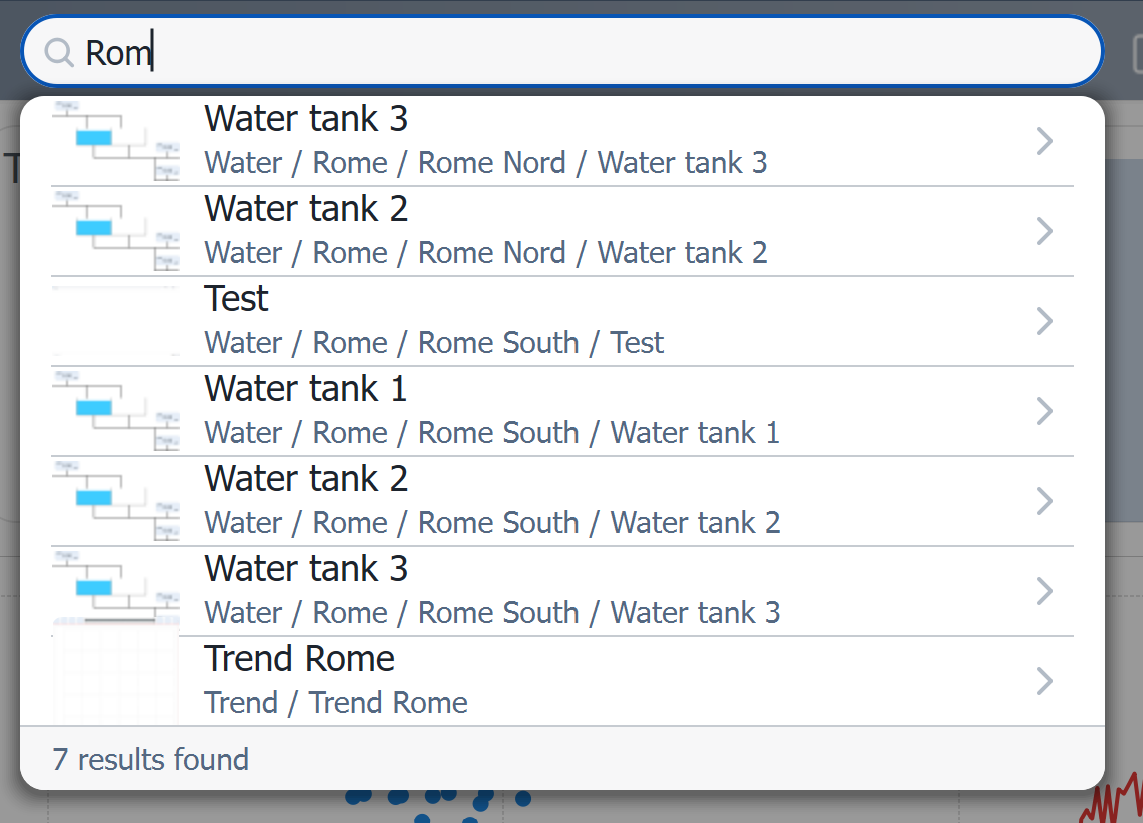
Smart Search Results
Type a query and the bar expands to show matching pages with their full hierarchical path, thumbnail preview, and category:
Tutorial Integration
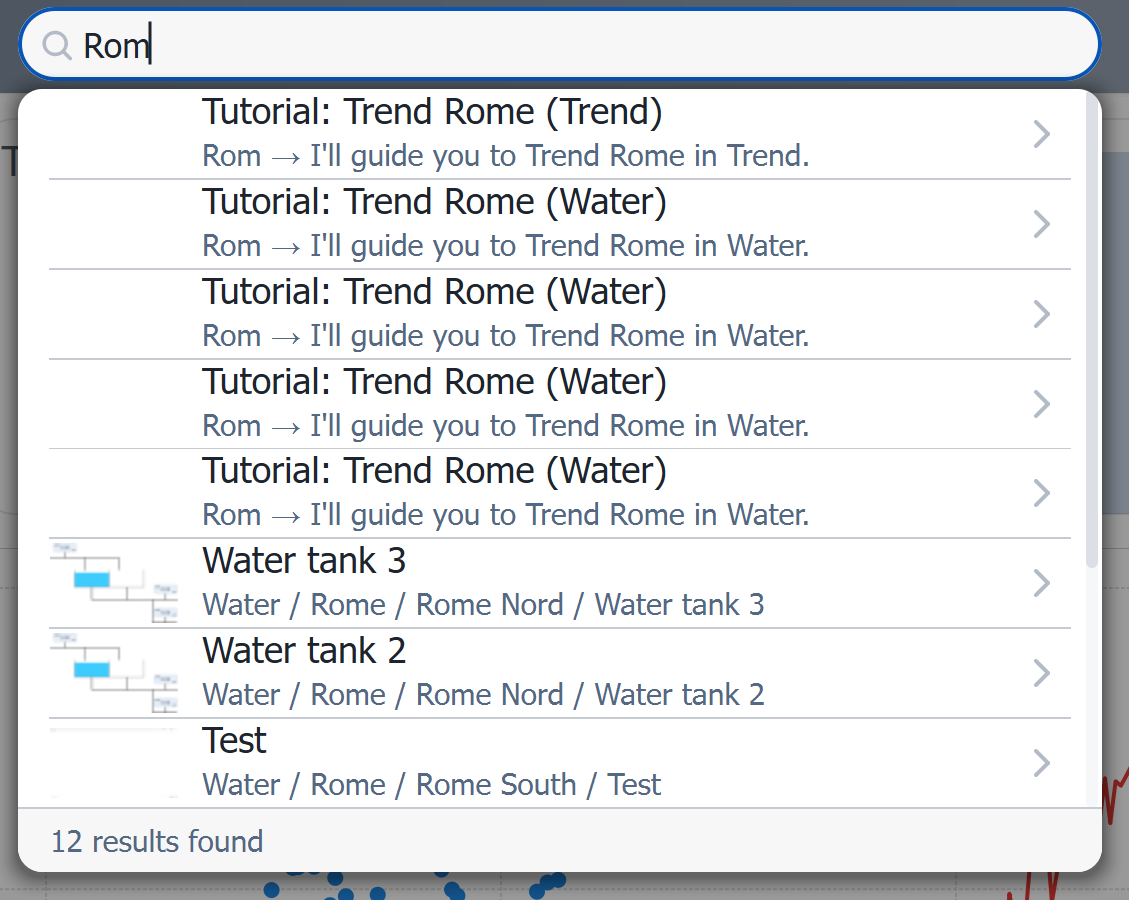
This is where it gets powerful. When the intelligent tutorial system is active, the SearchBar doesn't just find pages — it offers to guide you there step by step:
How Tutorials Work
Behind the scenes, a multi-agent search engine written in Python runs 3 parallel searches (menu fuzzy match, knowledge graph query, manual text search), combines the results with confidence scoring, and generates step-by-step tutorial instructions in 2ms (cached) or 119ms (fresh). The tutorial then executes directly in the WinCC OA UI — expanding menus, highlighting items, navigating to pages, and showing overlay bubbles with contextual guidance.
The Tutorial Engine — Multi-Agent Architecture
The tutorial system uses a parallel search architecture we designed to maximize both speed and accuracy:
User Question: "dove trovo Roma?"
        │
        ▼
  ┌─────────────┐
  │ Cache Check  │──► Hit (>85% fuzzy match) ──► Return in 2ms
  └──────┬──────┘
         │ Miss
         ▼
  ┌──────────────────────────────────┐
  │     3 Parallel Search Agents     │
  │                                  │
  │  Menu Search  │  KG Search  │  Manual Search │
  │  (fuzzy match)│  (graph)    │  (full-text)   │
  └───────┬───────┴──────┬──────┴───────┬────────┘
          │              │              │
          ▼              ▼              ▼
  ┌──────────────────────────────────────┐
  │           Orchestrator               │
  │  Multi-source scoring & fusion       │
  │  ≥0.70 = certain, ≥0.40 = ambiguous │
  └──────────────┬───────────────────────┘
                 │
                 ▼
  ┌──────────────────────────────────┐
  │     Deterministic Tutorial Builder │
  │  expand_menu → navigate → overlay  │
  └──────────────────────────────────┘
Per-Token Scoring
We implemented a per-token fuzzy matching algorithm that handles natural language queries across languages. For example:
- Query:
"dove trovo Roma"→ meaningful tokens:["roma"] - Menu item:
"Water/Rome/Rome Nord"→ tokens:["rome"] - Match:
"roma"vs"rome"→ similarity 0.89 + token overlap bonus → certain match
This means operators can type in everyday Italian and find English-named menu items — or vice versa.
Main Properties
| Property | Type | Description |
|---|---|---|
Items_Json |
QString |
JSON array of searchable items |
PlaceholderText |
QString |
Placeholder in search input |
SearchBarHeight |
int |
Compact bar height |
ItemHeight |
int |
Result item height |
ImageSize |
int |
Thumbnail preview size |
ImageBorderRadius |
int |
Thumbnail corner radius |
MaxVisibleItems |
int |
Max results before scrolling |
MinSearchChars |
int |
Minimum chars to trigger search |
OverlayOpacity |
double |
Fullscreen overlay opacity |
MaxDropdownHeight |
int |
Maximum dropdown height |
BackgroundColor |
QColor |
Widget background |
SearchBgColor |
QColor |
Search input background |
SearchBorderFocusColor |
QColor |
Input border on focus |
SearchTextColor |
QColor |
Input text color |
ItemHoverColor |
QColor |
Result item hover highlight |
TitleColor |
QColor |
Result item title color |
SubtitleColor |
QColor |
Result item subtitle color |
Note: This widget exposes 30 configurable properties. The table above covers only a selection — more are available for fine-tuned control over colors, fonts, sizing, and overlay appearance.
Usage Example in WinCC OA
XML Configuration (extended properties)
<extended>
  <prop name="SearchBarHeight" type="INT">40</prop>
  <prop name="PlaceholderText" type="CHAR_STRING">Search pages...</prop>
  <prop name="MinSearchChars" type="INT">2</prop>
  <prop name="MaxVisibleItems" type="INT">8</prop>
  <prop name="OverlayOpacity" type="DOUBLE">0.85</prop>
  <prop name="ImageSize" type="INT">48</prop>
  <prop name="BackgroundColor" type="COLOR">{255,255,255}</prop>
  <prop name="SearchBorderFocusColor" type="COLOR">{70,130,180}</prop>
  <script name="itemClicked">itemClicked(string id, string title)</script>
  <script name="searchTextChanged">searchTextChanged(string text)</script>
</extended>
CTRL Initialization Script
main()
{
  // Load searchable items from menu structure
  string menuJson = dpGet("System1:Menu.structure");
  EWO.setMenuJson(menuJson);
}

// Handle search result selection
void itemClicked(string id, string title)
{
  // Navigate to the selected page
  string panelPath = "panels/impianti/" + id + ".xml";
  ModuleNavigation_openPanel(panelPath);
}
Available Signals
| Signal | Parameters | Description |
|---|---|---|
itemClicked |
id, title |
Search result selected |
itemArrowClicked |
id, title |
Arrow button on result clicked |
searchTextChanged |
text |
Search input text changed |
resultCountChanged |
count |
Number of matching results changed |