Operator Diary — Screenshot Audit Trail
Capture, Annotate, Archive — In One Click
The Operator Diary is a built-in documentation system we designed for operators to capture, annotate, and archive screenshots of the live application with contextual notes — creating a persistent, searchable visual timeline of system operations.
In standard WinCC OA, operators rely on external tools (email, paper logs, shared drives) to document system states. InteriaLib embeds this capability directly inside the application.
How It Works
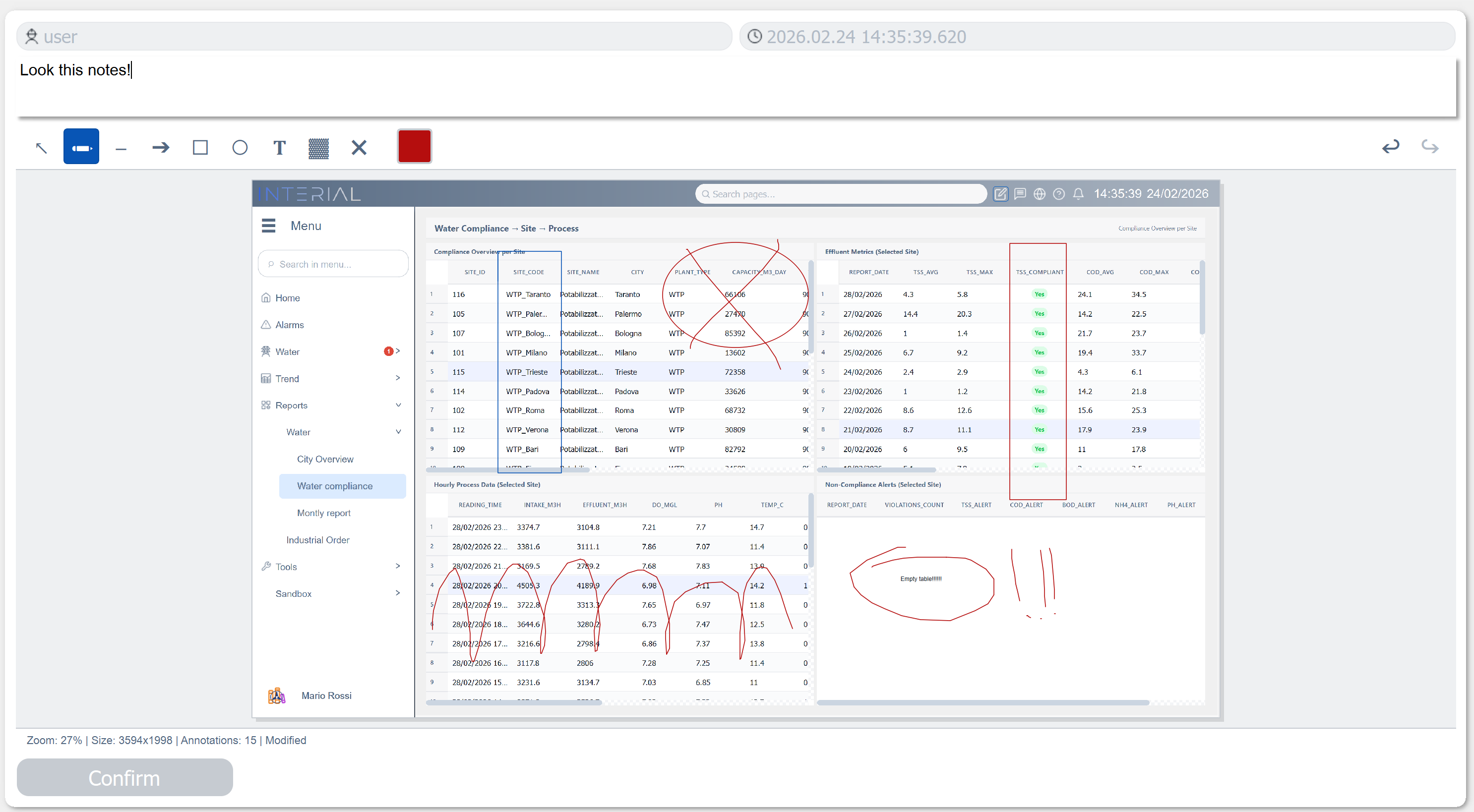
1. Capture & Annotate
The operator clicks the screenshot button. A modal opens with a live capture of the current panel and the ScreenshotEditor EWO — the same 9-tool annotation toolkit we built as a standalone widget:
2. Automatic Metadata
When the operator clicks Confirm:
- The annotated screenshot is saved as PNG
- User identity captured automatically from WinCC OA session
- ISO 8601 timestamp recorded
- Unique ID generated (YYYYMMDDHHmmss format)
- Entry prepended to the diary (newest first)
- Modal closes — operator returns to work in seconds
3. Browse the Timeline
The diary entries are displayed in an interactive timeline viewer integrated directly into the SCADA application:
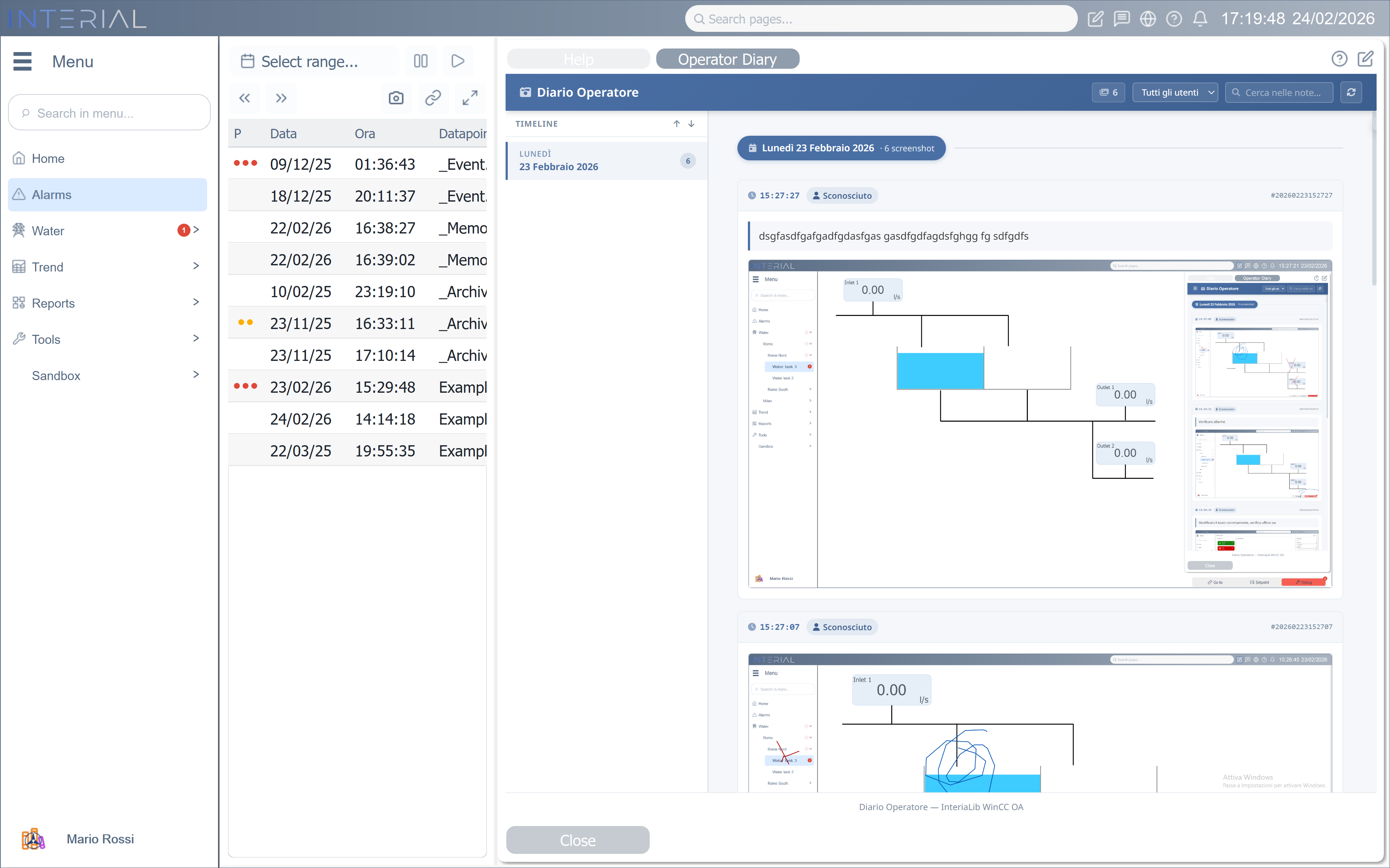
The timeline viewer features:
- Day grouping — entries organized by date with sticky headers
- Sidebar timeline — clickable day list with bidirectional scroll sync
- User filtering — dropdown populated from all operators who have entries
- Note search — case-insensitive full-text search across all notes
- Lightbox — click any screenshot for full-screen viewing
- Auto-refresh — silent 30-second polling keeps the diary current
- Responsive — works on desktop, tablet, and mobile
Why It Matters
| Scenario | Traditional | With InteriaLib Diary |
|---|---|---|
| Incident | Operator takes a phone photo, emails it later | One click → annotated screenshot, permanently archived |
| Shift handover | Paper logbook or verbal | Visual timeline with searchable notes |
| Root cause analysis | "What did the screen look like?" — nobody knows | Timestamped visual evidence with annotations |
| Compliance audit | Reconstruct events from scattered logs | Chronological visual audit trail |
| Training | "Let me explain what this alarm looks like" | Browse real examples with annotations |