Manual Engine — AI-Powered Documentation
Automatic Documentation That Stays Current
We built a parallel AI documentation generator that automatically creates and maintains technical documentation for every page in the application. It analyzes panel XML structure, captures screenshots, and generates multi-language documentation — then tracks changes and regenerates only what's needed.
How It Works
4-Phase Generation Pipeline
Phase 1 — Menu Sync: The system flattens the hierarchical menu JSON and creates a documentation page for every navigable item. It knows the full menu path, panel file, and $DP parameters for each page.
Phase 2A — Screenshot Capture: For each page, the system navigates the live WinCC OA UI (via the RPC bridge), captures a screenshot, and reads the panel XML. A checksum comparison skips unchanged pages — reducing AI costs by 70-90% on re-runs.
Phase 2B — Parallel AI Processing: Up to 3 pages are processed concurrently. For each page, a multi-modal prompt is built that includes:
- The panel XML structure (what elements are on the page)
- A screenshot of the rendered page (what it looks like)
- Extracted datapoint names and labels (what data it shows)
- Previous content (for consistency with existing documentation)
The AI generates structured markdown, which the parser splits by language and section.
Phase 3 — Index & Finalize: Update statistics, signal completion, and publish.
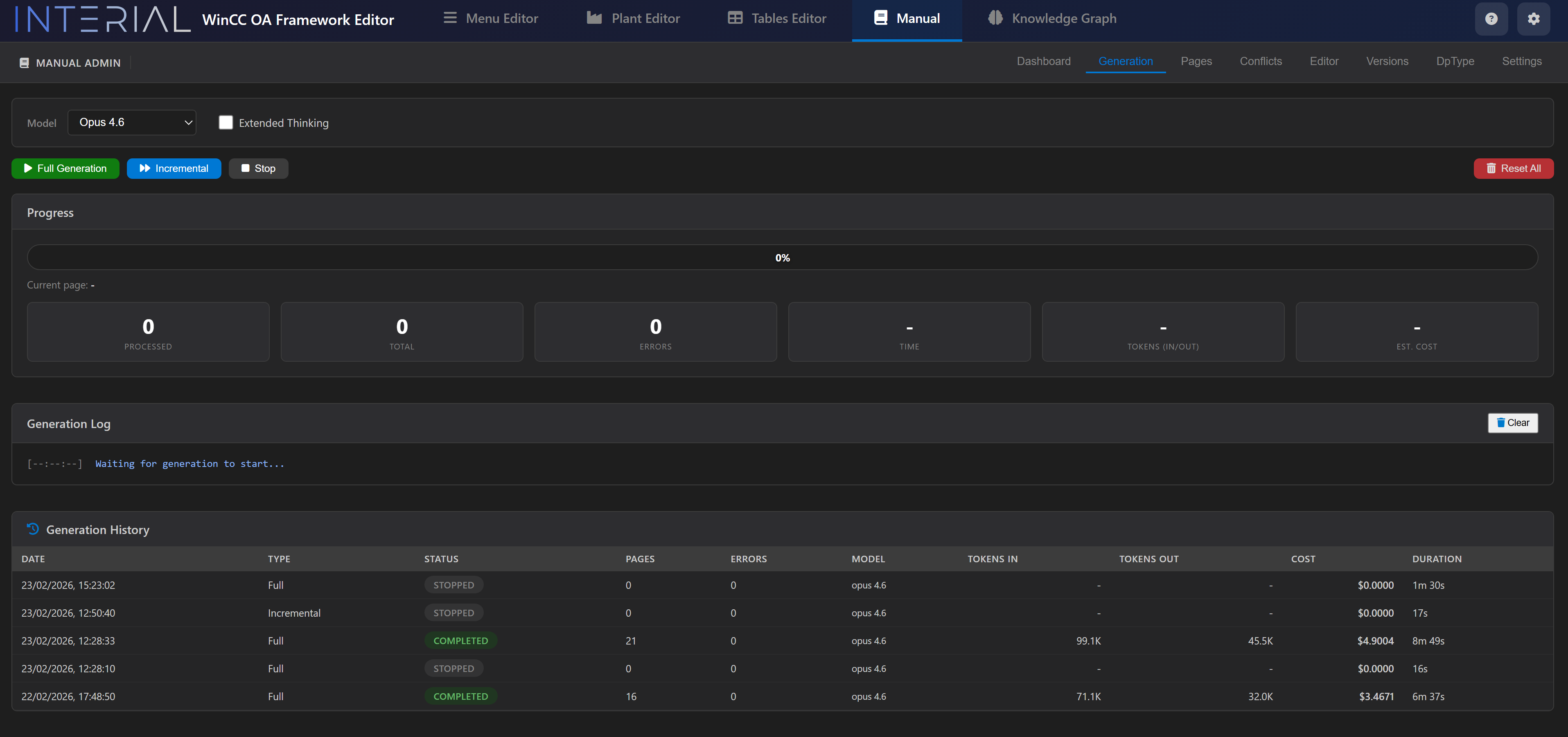
Generation Monitoring
Key Innovations
Incremental Generation
Every panel XML gets a SHA checksum. On re-runs, only pages with changed checksums are regenerated. This means a project with 100 pages might only need to regenerate 3 after a typical update — saving significant time and AI costs.
Conflict Management
The system tracks whether content was AI-generated or manually edited. When a panel changes and the AI regenerates, if an operator had manually refined the documentation, a conflict is flagged for resolution rather than silently overwritten.
Real-Time Cost Tracking
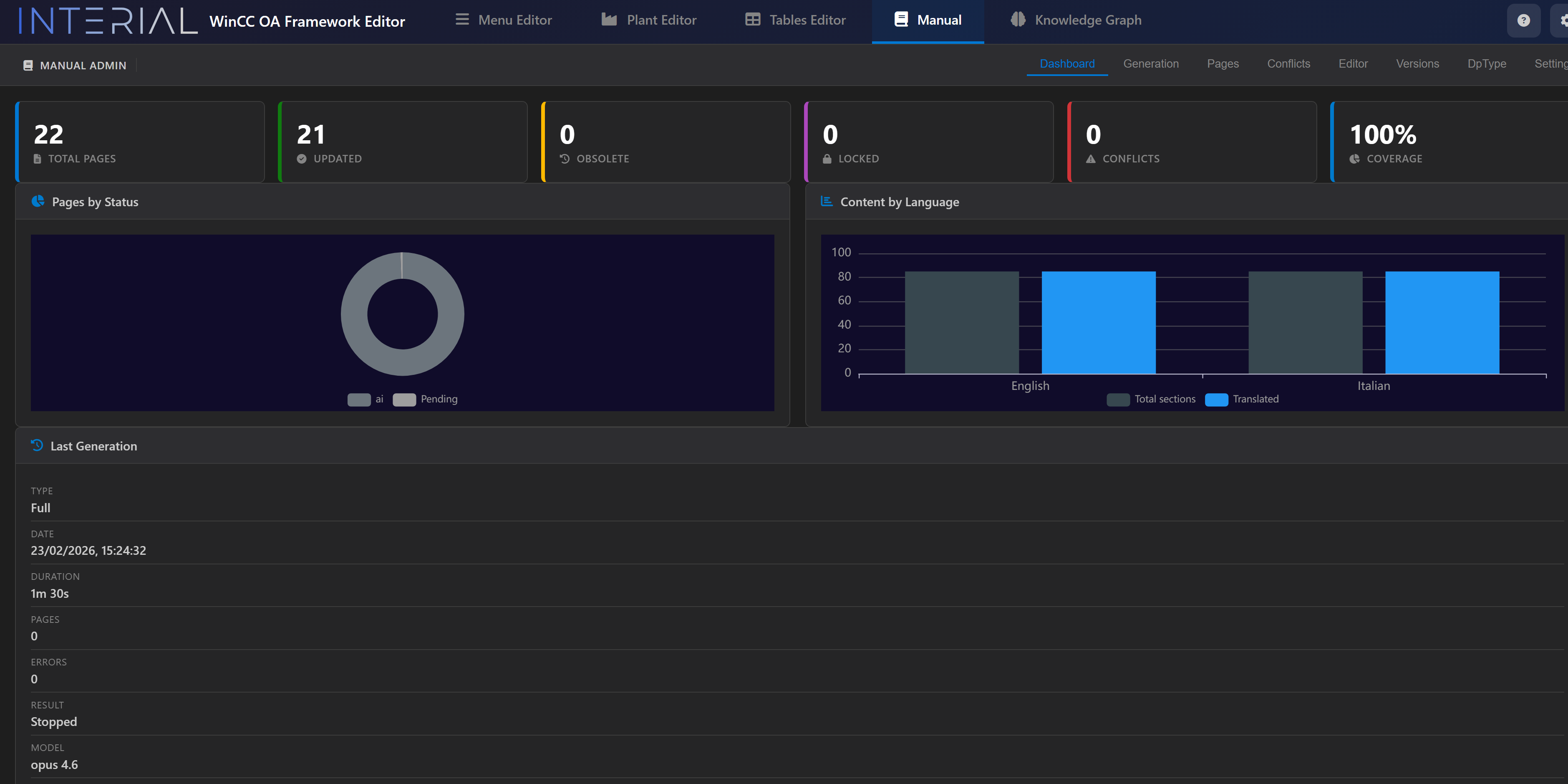
During generation, the system tracks token usage and estimates cost per model in real time — so you always know exactly what a documentation run costs.
Multi-Language Output
Each section is generated in both Italian and English in a single pass. The language bar chart on the dashboard shows translation coverage.
Version Control
We implemented a versioning system where documentation can be tagged, branched, and compared — enabling release-specific documentation snapshots.
The Manual Viewer — Integrated in SCADA
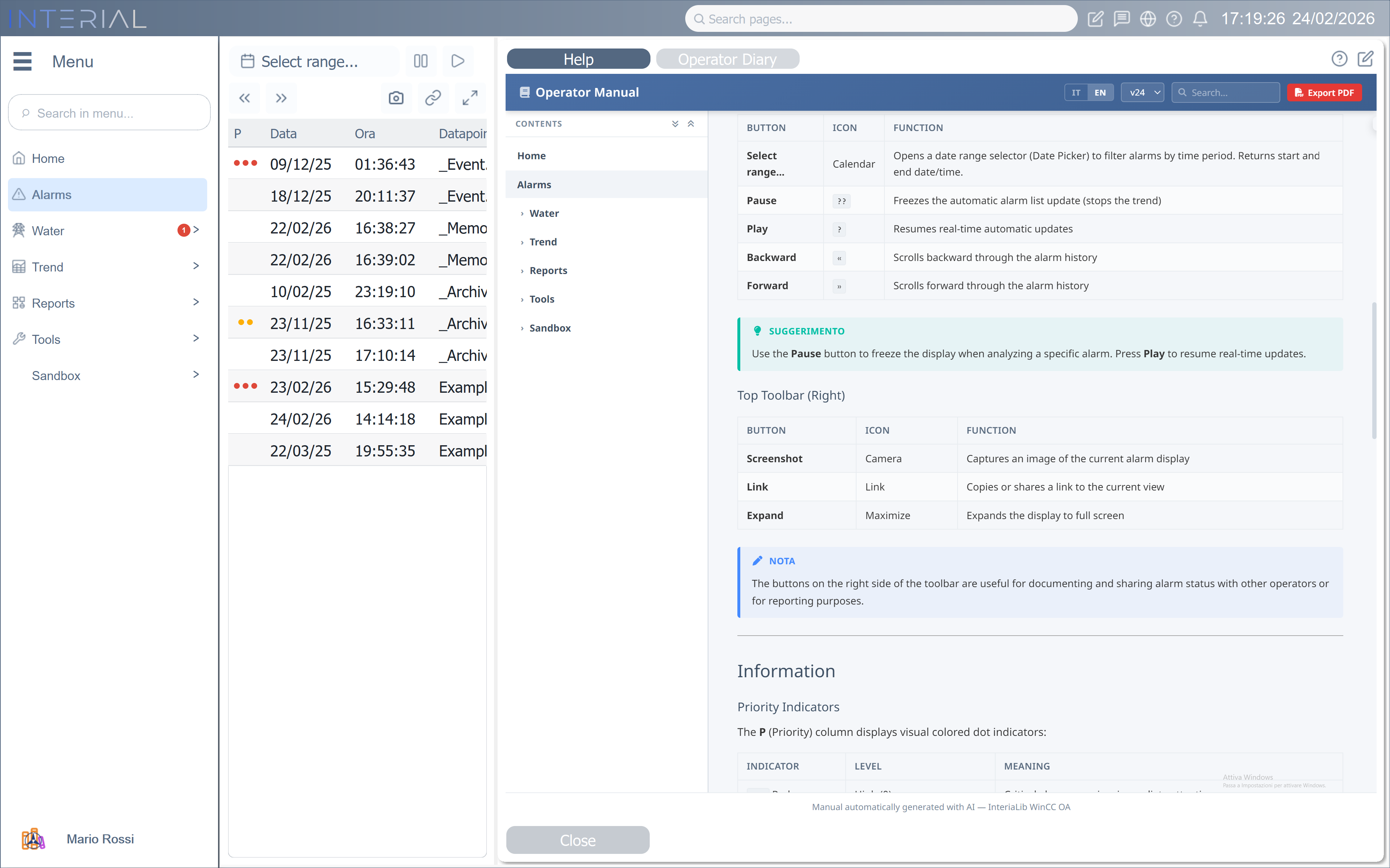
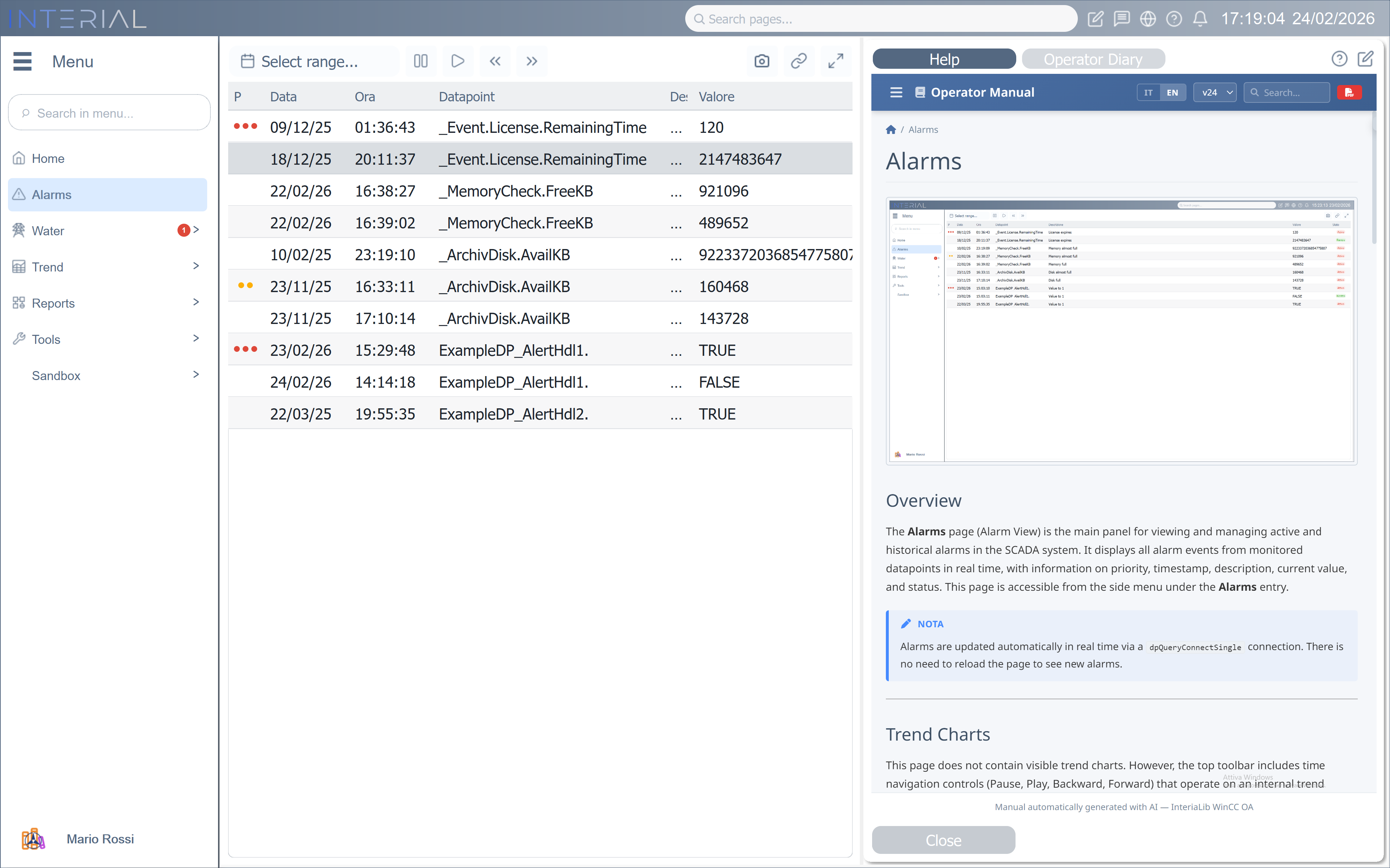
The generated documentation is not an external website — it lives directly inside the WinCC OA application, accessible from any page via the Operator Manual panel. This means operators never leave the SCADA environment to consult documentation.
Why This Matters
Operators see the documentation right next to the live data. No switching tabs, no searching for PDF manuals, no outdated printed guides. When a page changes, the documentation regenerates — and it's immediately available in the same panel.
PostgreSQL Schema
We designed a 12-table relational schema to manage the documentation lifecycle:
| Table | Purpose |
|---|---|
manual_pages |
Page metadata (menu path, panel path, status) |
manual_sections |
Logical sections per page (auto-detected from XML) |
manual_content |
Versioned content per section per language |
manual_versions |
Tagged version snapshots |
manual_generation_runs |
Run history with statistics and token counts |
manual_screenshots |
Captured page images |
manual_checksums |
Incremental change detection |
manual_conflicts |
AI vs. manual edit tracking |