Knowledge Graph — Project Intelligence
Every Entity, Every Relationship, Mapped Automatically
We built a real-time knowledge graph that maps the entire WinCC OA project as a network of interconnected entities. Every datapoint, every panel, every menu item, every alarm, every archive, and every documentation page becomes a node in the graph — with edges representing their relationships.
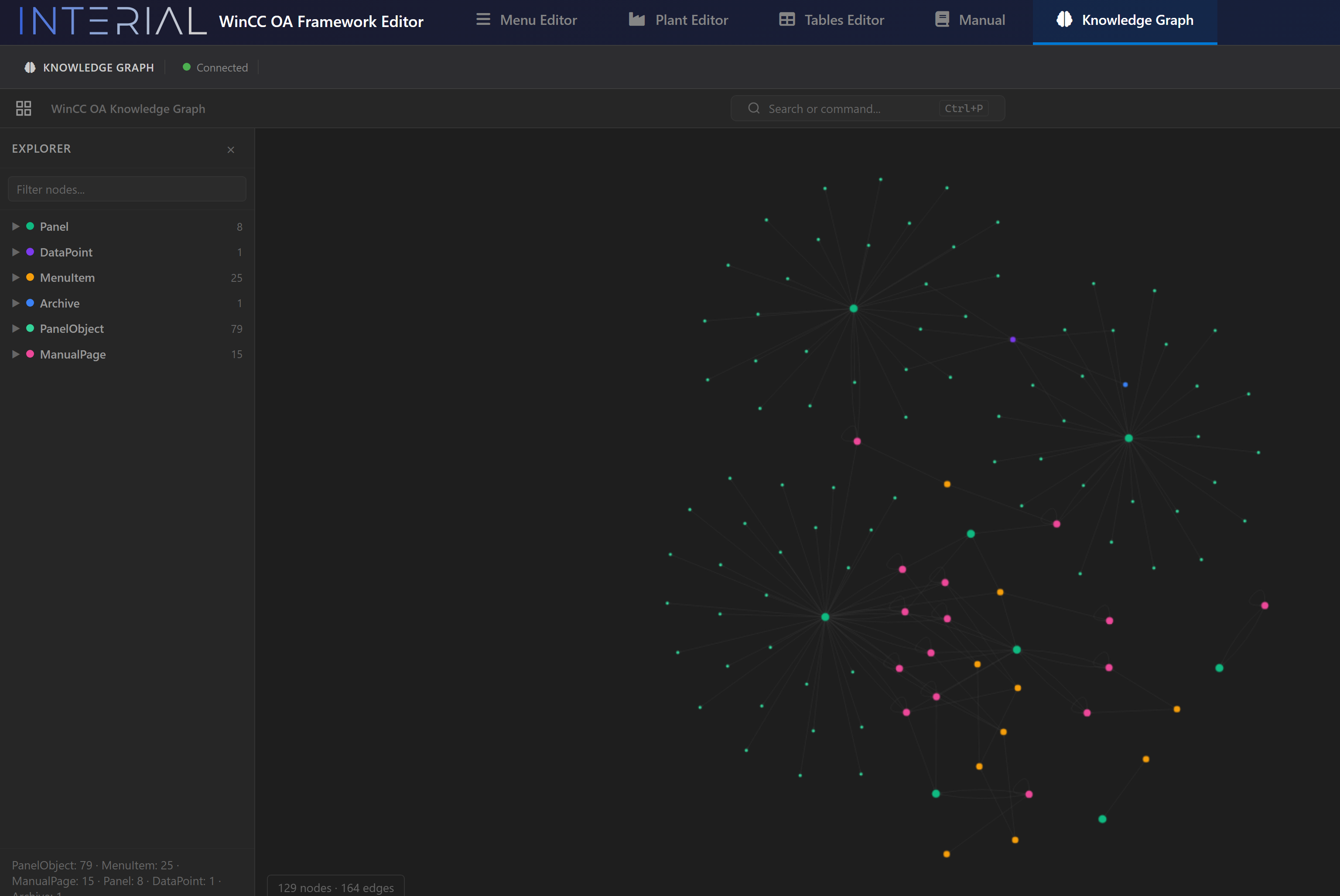
What It Maps
| Entity Type | Count | Source |
|---|---|---|
| Panel | 8 | Extracted from panel XML files |
| DataPoint | 1+ | Extracted from WinCC OA DP system |
| MenuItem | 25 | Extracted from menu JSON structure |
| Archive | 1 | Extracted from archive configuration |
| PanelObject | 79 | Extracted from panel elements (IoFields, Buttons, etc.) |
| ManualPage | 15 | Extracted from generated documentation |
Relationships
The graph doesn't just store entities — it maps how they relate:
- DataPoint BELONGS_TO DPType
- DataPoint DISPLAYED_ON Panel
- Panel OPENS from MenuItem
- MenuItem CHILD_OF MenuItem (parent)
- MenuItem DOCUMENTED_BY ManualPage
- Panel HAS_ALARM Alarm
Interactive Exploration
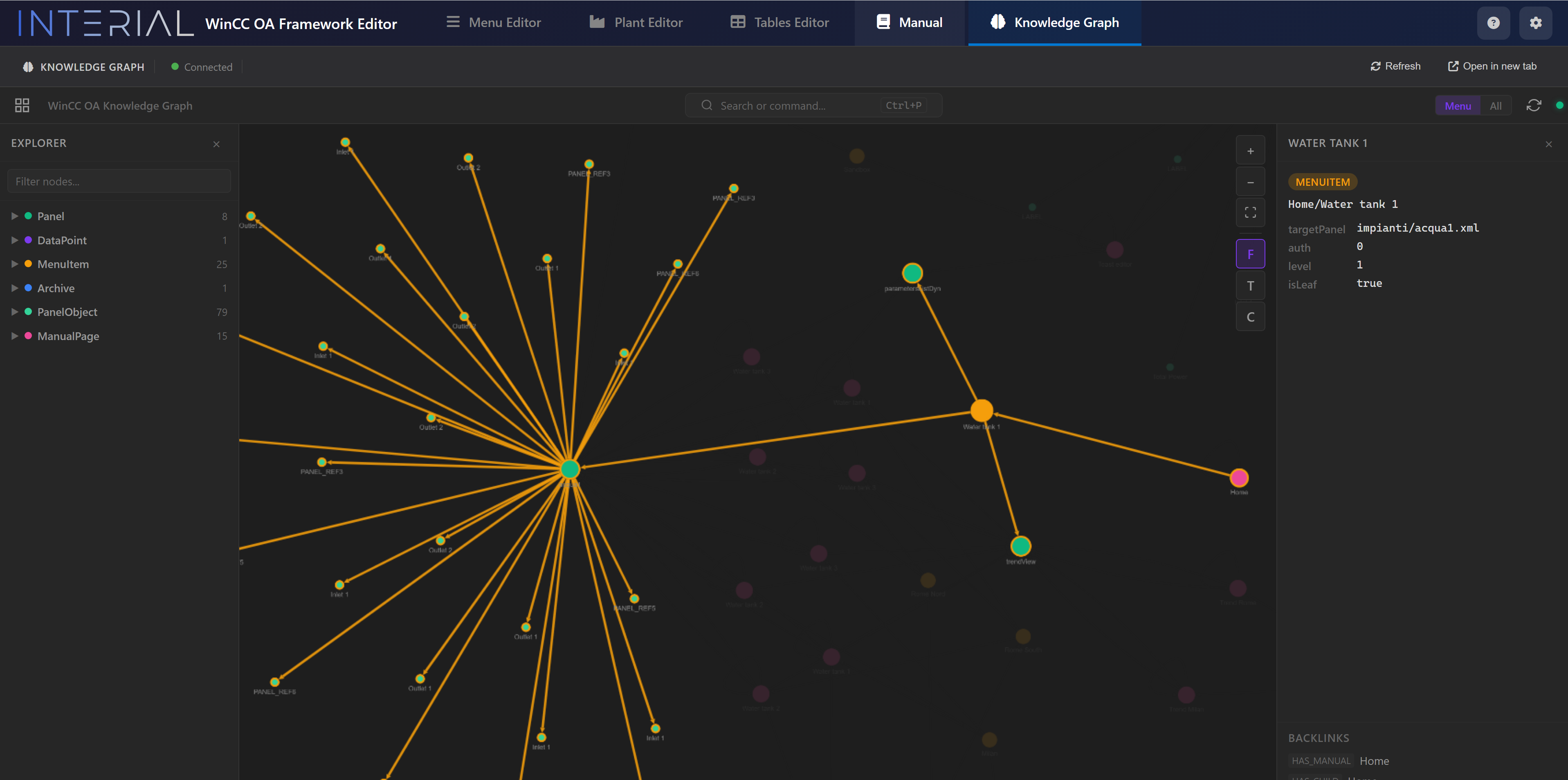
Click any node to see its properties and all its connections:
Real-Time Sync
We built an Event Bridge — a WinCC OA background script that streams live system events into the graph:
- Navigation tracking — every page transition captured
- Datapoint changes — system-wide monitoring (filtered to exclude internal system DPs)
- Automatic reconnection — graceful degradation if the graph database is temporarily unavailable
This means the graph is always current — it reflects the live state of the project, not a stale snapshot.
29 Extraction Modules
We wrote 29 Python modules that automatically populate the graph from the WinCC OA project structure:
- Menu extractor → MenuItem nodes from menu JSON
- Panel parser → Panel and PanelObject nodes from XML files
- Datapoint extractor → DataPoint nodes from WinCC OA
- DPType extractor → Type definition nodes
- Alarm extractor → Alarm configuration nodes
- Archive extractor → Archive nodes
- Manual extractor → Documentation page nodes
Why It Matters
The Knowledge Graph enables questions that are impossible in standard WinCC OA:
Impact Analysis
"If we change this DPType, which panels, alarms, and menus are affected?" → The graph traces all BELONGS_TO, DISPLAYED_ON, and HAS_ALARM edges instantly.
Natural Language Queries
"Which panels show pump data?" → The integrated AI chat translates this to a graph traversal and returns results.
Tutorial Generation
"How do I get to the Rome plant page?" → The tutorial engine queries the graph as one of 3 parallel search sources, contributing to the confidence score.
The Knowledge Graph is the connective tissue of InteriaLib — the reason every feature can be aware of every other feature.