Other Widgets
ColorPicker
HSV color space model with gradient image caching (three QImage buffers rebuilt only when dirty flags trigger), dual input modes (Hex/RGB), and alpha channel support with checkerboard visualization.
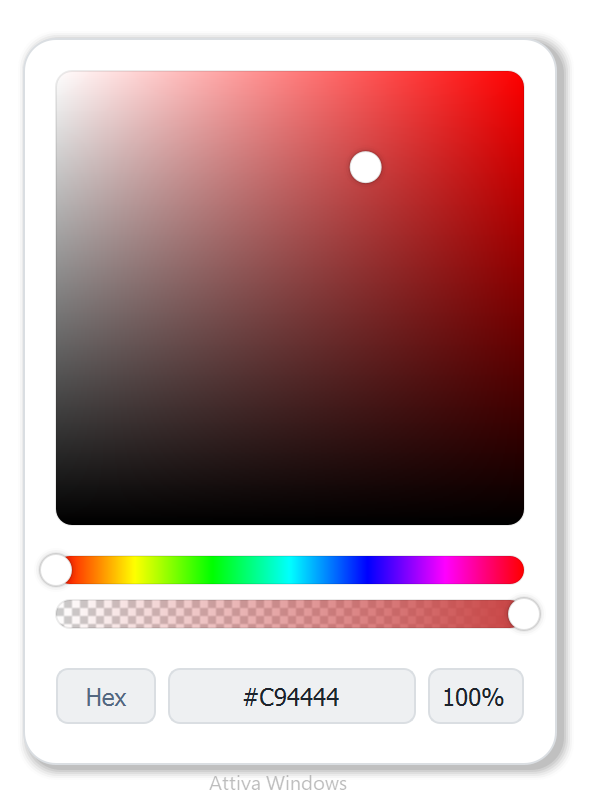
IconPicker
Grid-based icon browser with real-time search, SVG color override (dynamically recolors icons via XML manipulation), lazy loading with caching, and custom scrollbar.
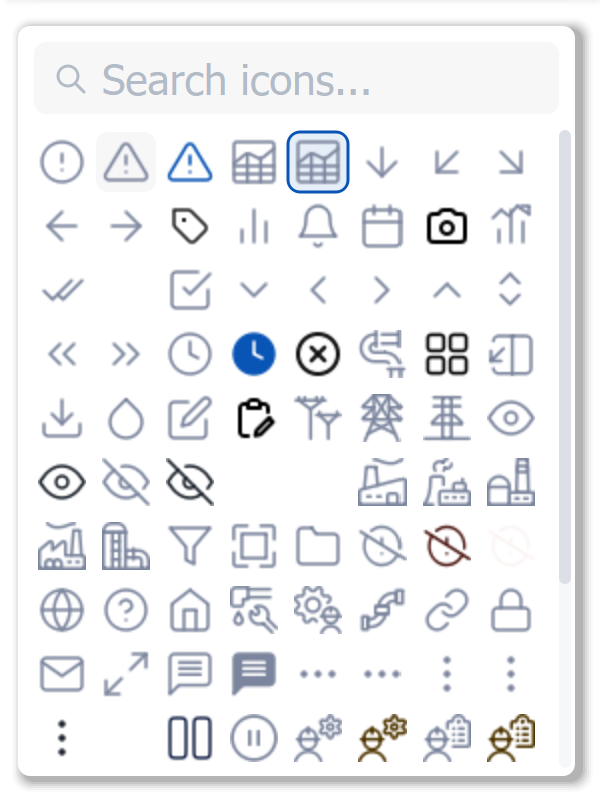
DatePicker
Full calendar with:
- TimeSpinner — custom auto-repeat mechanism (50ms interval) for ergonomic time entry
- Date range selection — two-click anchor/end selection with visual highlighting
- Preset system — Yesterday, Today, This Week, Last Month, Last 6 Months
- JSON localization — month names, weekday names, and preset labels loaded per language
DropMenu
Tab-based navigation combining popup menus and slide-out data drawers:
- Each tab configured via JSON as either
menutype (popup with clickable items) ordrawertype (slide-up data panel) - Debug drawer showing boolean indicators (red/green dots) and numeric values (with unit)
- Per-tab blinking animation for attention states with independent color cycling
- Dynamic badges updated at runtime without full refresh
Button
State-machine-driven button with 4 styles × 4 states = 16 visual combinations, each independently configurable:
- Hold-to-confirm — progressive fill animation requiring sustained press (critical for safety-sensitive actions like valve operations)
- Smooth animated transitions between states via parallel animation groups
- Dual icon support — two icons with 8 placement options each
PopupHelp
Tutorial/help bubble with:
- 9 arrow positions — Top, Bottom, Left, Right, corners, and None
- Style presets — Info (blue), Success (green), Warning (orange), Error (red) — one call sets all colors atomically
- Opacity animation — smooth fade-in/out with configurable easing
Badge
Compact status indicator with 3-state logic (Active/Enabled/Disabled), per-state color palettes, and SVG icon integration.
ScreenshotEditor
Complete annotation tool with a polymorphic annotation system — a base class with virtual methods extended by 5 annotation types (Path, Line, Shape, Text, Highlight), undo/redo via command stack, and 9 drawing tools.
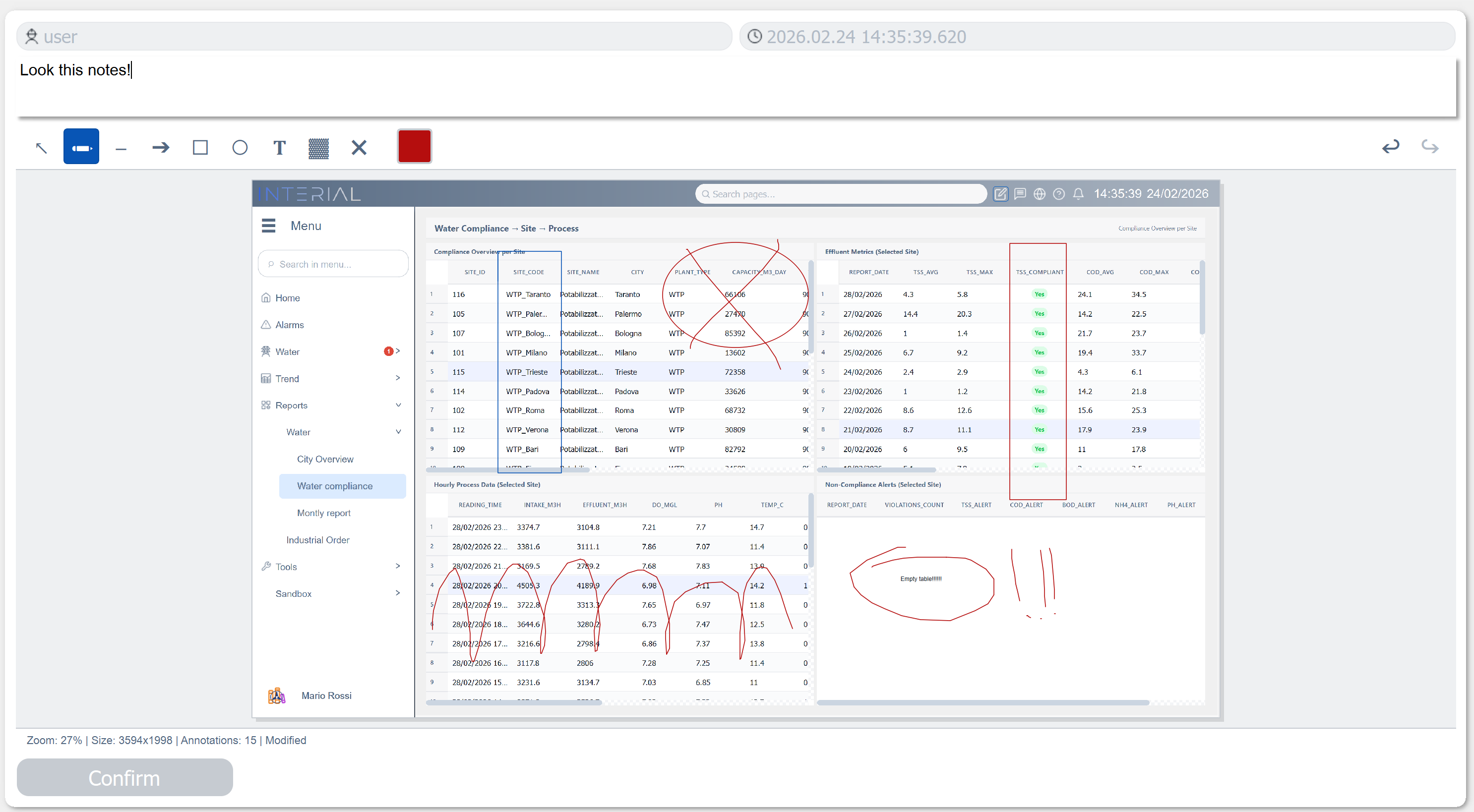
Mouse events are throttled to 16ms (~60fps) for smooth drawing, and all coordinate transforms (screen↔image) account for zoom level.