Custom Widget Library — 14 EWO Components
Built From Scratch in C++
We designed and developed 14 custom EWO (External Widget Object) components from scratch in C++ using the Qt framework. These are not wrappers around existing controls — they are fully custom-painted, animation-driven, signal-rich widgets built specifically for industrial HMI excellence.
Every widget implements the BaseExternWidget interface for seamless WinCC OA integration, with complete property systems (25–54 properties each), rich signal contracts, and runtime reconfigurability via JSON.
Why Custom Widgets?
The standard WinCC OA widget set is functional but dated. These custom EWOs bring modern UX patterns — smooth animations, contextual menus, responsive layouts, embedded graphs — directly into the industrial environment.
The Widget Family
| Widget | Complexity | Key Innovation |
|---|---|---|
| Menu | Very High | Animated sidebar with badge propagation and level-based styling |
| IoField | Very High | Dashboard cell with math engine, graphs, and in-place editing |
| TablePostgre | Very High | Virtual-scrolling data table with PostgreSQL, aggregation, and filters |
| AlarmViewer | High | Real-time alarm table with blink controller and priority system |
| SearchBar | High | Fullscreen overlay search with tutorial integration |
| DropMenu | High | Tab-based popup/drawer system with per-tab animations and badges |
| DatePicker | High | Calendar with time spinners, range selection, and presets |
| ScreenshotEditor | High | Annotation tool with 9 drawing tools and undo/redo |
| Button | Medium | 4 styles, 4 states, hold-to-confirm, animated transitions |
| ColorPicker | Medium | HSV model with gradient caching and alpha channel |
| IconPicker | Medium | Grid browser with search, SVG color override, and lazy loading |
| PopupHelp | Medium | Tutorial bubble with arrow positioning and style presets |
| Badge | Low | 3-state indicator with per-state color palettes |
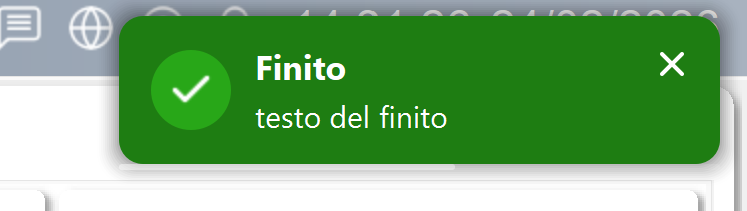
| Toast | Low | Notification popup with auto-dismiss |
Shared Architectural Patterns
All 14 widgets share consistent patterns that we established as project standards:
- SVG Color Override — Dynamic icon recoloring via XML manipulation, so a single icon set serves any theme
- Named Color Resolution — Consistent color theming across all widgets, integrated with WinCC OA's color system
- JSON Configuration — Runtime reconfiguration without recompilation
- Deferred Update Batching — Timer-coalesced property changes prevent cascading layout recalculations
- Gradient/Path Caching — Dirty-flag-based caching for efficient re-rendering
- 20–50+ signals per widget — Deep integration with WinCC OA's event system